

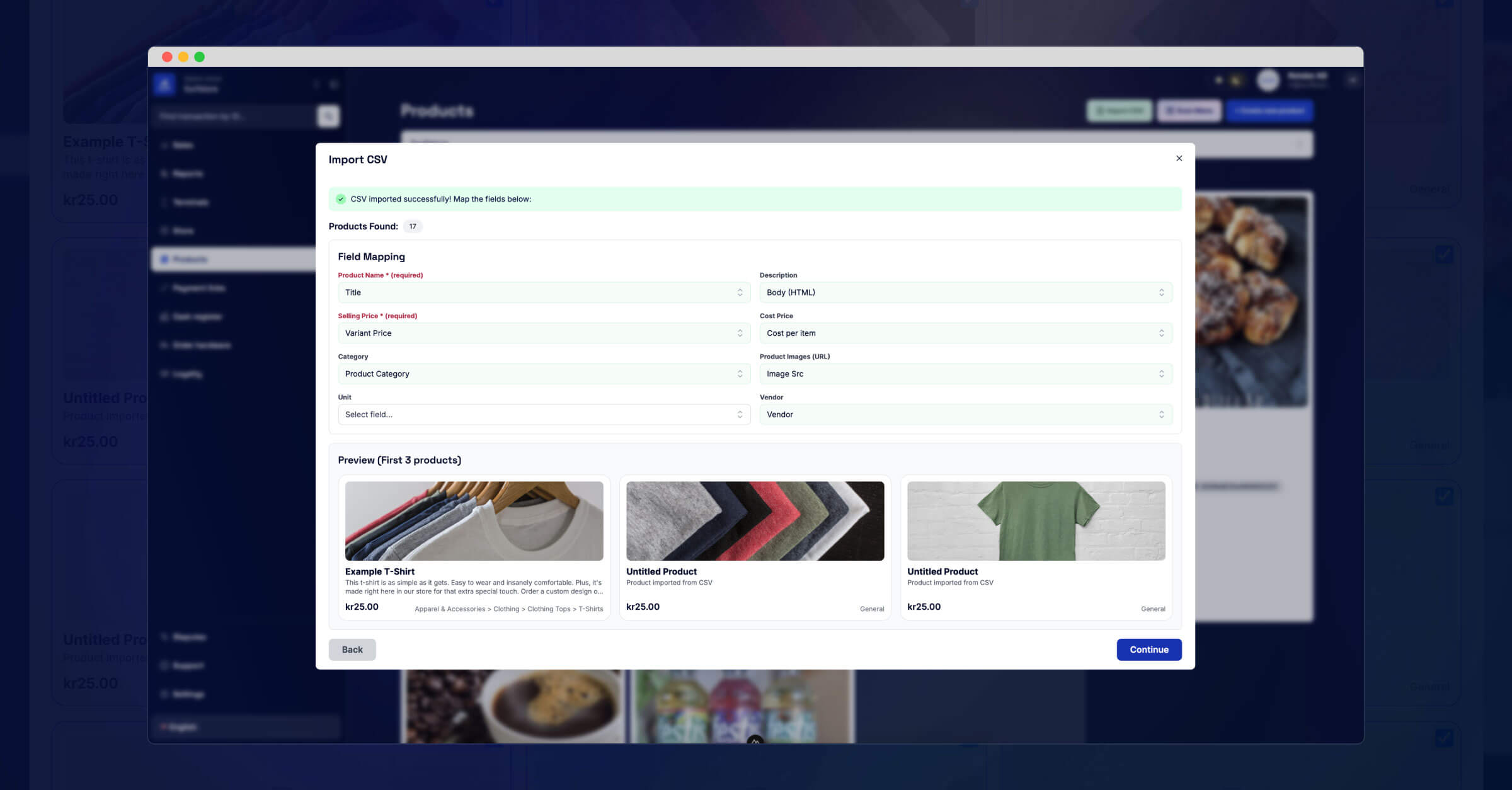
Adding products to your store just got dramatically faster.
Starting today, merchants using the Surfboard Merchant portal can import products using a simple CSV file. Whether you're launching a new location, switching from another platform like Shopify or Zettle, or refreshing your inventory for the season, this feature cuts onboarding time down to seconds.
Here’s how it works:
Click Import CSV on the Products page, upload your file, and watch your product list come to life. The portal automatically maps your data to the right fields — product name, price, category, and even image URLs. You can adjust these mappings if needed, and preview exactly how everything will look before importing.
If you're moving over from a previous POS or webshop, this makes the transition much easier. Just export your product list as a CSV, import it into Surfboard, and you’re up and running — no manual entry, no complicated setup.
You’re always in control.
Review, select, and confirm which products to import. Then hit the button and let the system do the work. A few seconds later, your products are available in the portal.
This is the fastest way to get started with Surfboard. It’s already available in your Merchant portal.
Go to surfboardmerchant.com/products and start importing now.